Draw your agent.
Get the code.
TensorStudio is the visual side of the framework. Sketch nodes on a canvas, wire them into a graph, and it writes real Python back — losslessly, in your own style. Open existing code and it becomes a diagram you can edit.
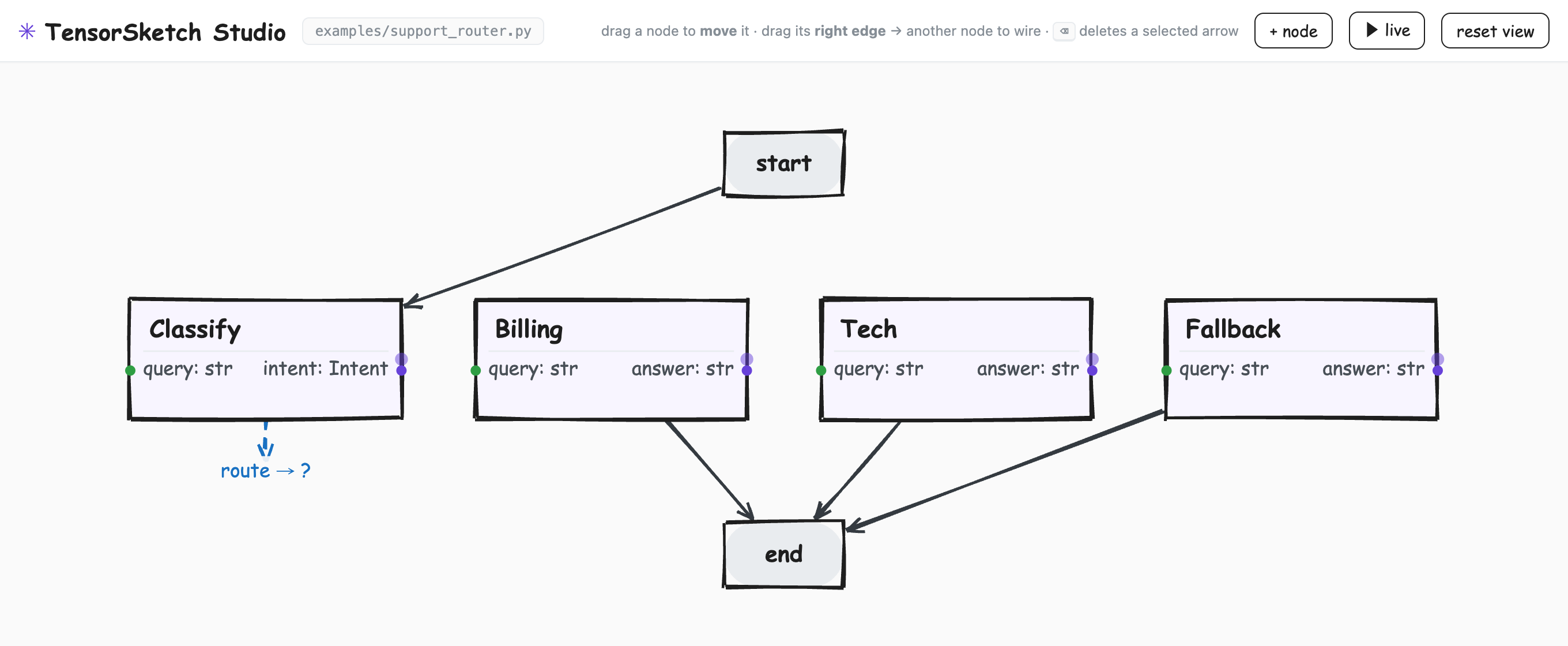
The real thing, running locally on examples/support_router.py — typed ports, a conditional route, wired start → end. Every edit writes straight back to the Python.
The canvas is a projection of your code
There's no second format to keep in sync. The Studio reads your Python into a graph, and writes edits straight back — bodies, imports, and comments untouched. Move a node and its position is saved beside the file, never in it.
Because it round-trips, you can work from either end: sketch a new agent visually, or open one you already wrote and rearrange it.
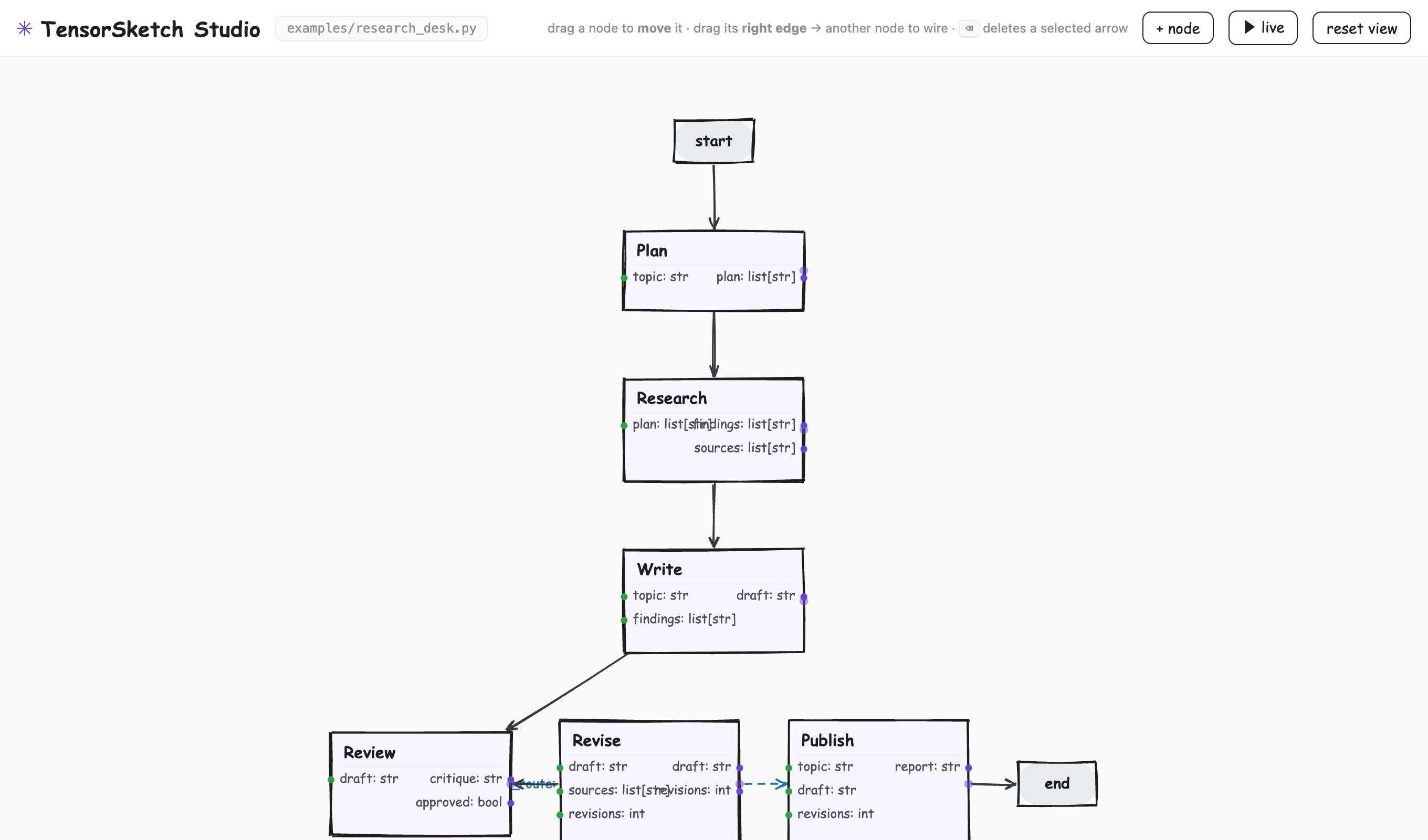
A richer agent — a research desk with a Review → Revise loop — extracted straight from its Python.
How it works
Three moves — and each one is just an edit to your source file.
Sketch nodes
Create nodes from a palette. Each one lands in your file as a typed
class X(Node) — born as a hole, with its input/output ports declared and
its body left for you to fill.
Wire the graph
Drag edges between ports; add conditional routes and loops. The wiring you draw
is the graph — typed edges, not if/else buried
inside a node.
Get real code
Every gesture writes back to Python, and it's rewritten in the same style you
wrote — a fluent chain stays a chain, >> stays >>.
Nothing but the wiring changes.
Run it locally
The Studio ships inside the library. Point it at any file with a graph and it opens a canvas in your browser.
# install the library with the canvas extra
pip install "tensorsketch-core[canvas]"

# open any agent file as a live canvas
python -m tensorsketch.canvas your_agent.py
On the roadmap: TensorStudio runs on your machine today
(a small standard-library bridge serves the canvas at localhost). A hosted,
in-browser Studio — sketch an agent and copy the code with nothing installed — is coming to
this site.